

Optical Filter Simulation Using the Transfer Matrix Method
In this tutorial we use OghmaNano’s optical transfer matrix solver to simulate reflection, transmission and optical interference in multilayer thin-film optical filters. Such structures are widely used in Bragg reflectors, dielectric mirrors, anti-reflection coatings, OLEDs and thin-film solar cells, where the optical response is controlled by the refractive index and thickness of each layer in the stack.
1. Background
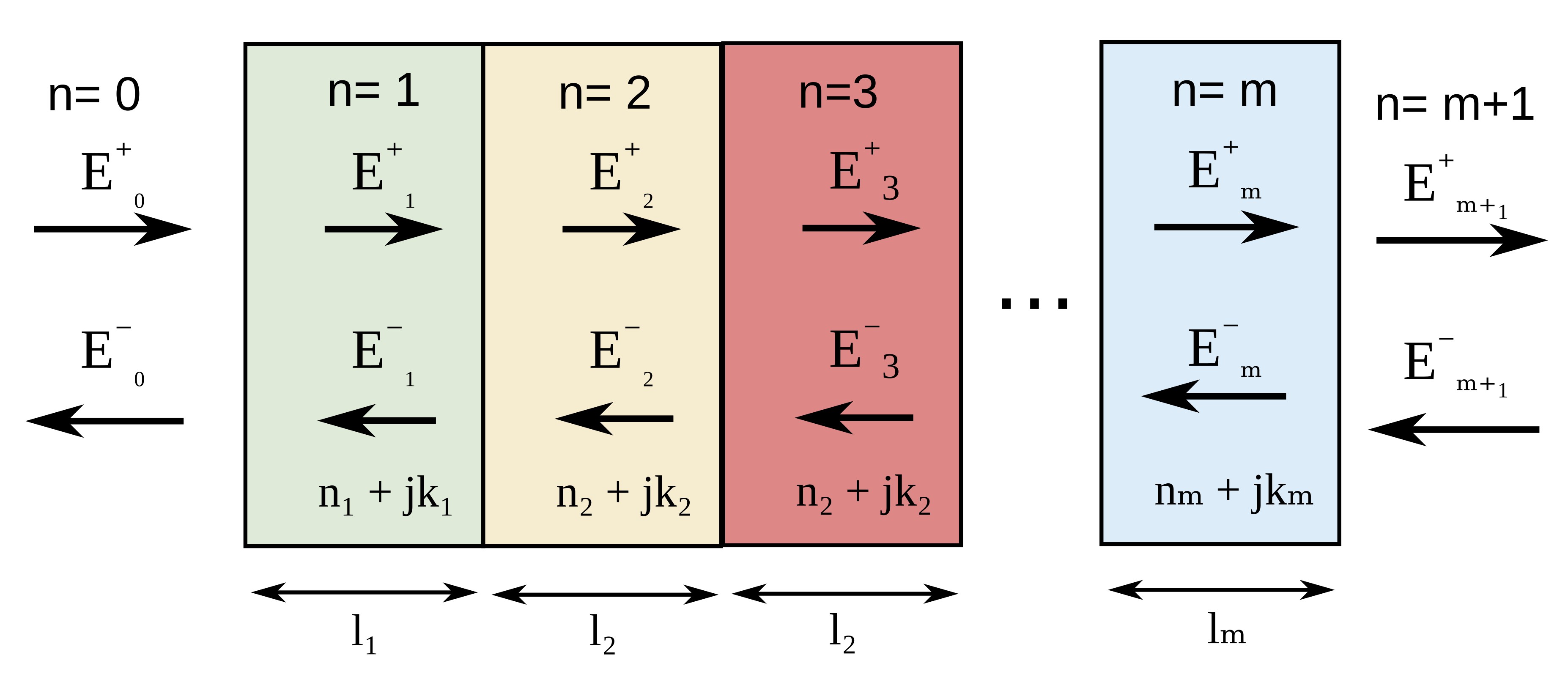
The transfer matrix method (TMM) is widely used for simulating multilayer thin-film optical structures such as OLED microcavities, thin-film solar cells, dielectric mirrors, distributed Bragg reflectors (DBRs), anti-reflection coatings and wavelength-selective optical filters. In these structures at normal incidence, light is partially reflected and transmitted at every interface between materials with different refractive indices, producing optical interference between forward and backward propagating electromagnetic waves. The transfer matrix method models this interference rigorously, allowing the reflection, transmission and optical absorption of the full multilayer stack to be calculated accurately. The optical response of multilayer thin-film structures is governed by thin-film interference between reflected and transmitted electromagnetic waves inside the stack. A schematic representation of the multilayer structure and propagating optical fields is shown in figure ??.
Within the transfer matrix formalism, the electric field in each layer is written as the sum of a forward and backward propagating wave,
\[ E_i(z)=E_i^{+}e^{-\zeta_i z}+E_i^{-}e^{\zeta_i z} \]where \(E_i^{+}\) and \(E_i^{-}\) are the forward and backward propagating field amplitudes respectively, and
\[ \zeta_i=\frac{2\pi}{\lambda}\bar{n}_i \]with \(\bar{n}=n+j\kappa\) representing the complex refractive index of the material. Applying Maxwell’s equations and the electromagnetic boundary conditions at each interface gives the Fresnel reflection and transmission coefficients
\[ r_{ij}=\frac{n_i-n_j}{n_i+n_j}, \qquad t_{ij}=\frac{2n_i}{n_i+n_j} \]allowing the optical fields on either side of an interface to be related through a transfer matrix,
\[ \begin{pmatrix} E_i^{+} \\ E_i^{-} \end{pmatrix} = \frac{1}{t_{ij}} \begin{pmatrix} 1 & r_{ij} \\ r_{ij} & 1 \end{pmatrix} \begin{pmatrix} E_j^{+} \\ E_j^{-} \end{pmatrix} \]while propagation through a layer of thickness \(d_i\) can be written as
\[ \begin{pmatrix} E_i^{+}(z+d_i) \\ E_i^{-}(z+d_i) \end{pmatrix} = \begin{pmatrix} e^{\zeta_i d_i} & 0 \\ 0 & e^{-\zeta_i d_i} \end{pmatrix} \begin{pmatrix} E_i^{+}(z) \\ E_i^{-}(z) \end{pmatrix} \]The full multilayer optical stack is therefore solved by multiplying together the interface and propagation matrices of every layer,
\[ M=M_1M_2M_3 \cdots M_n \]from which the reflected, transmitted and absorbed optical power can be calculated directly. This approach is computationally efficient, numerically stable and only requires simple matrix multiplication operations, making it well suited for simulating multilayer optical filters and thin-film interference structures.
By adjusting the thicknesses and refractive indices of the layers, one can design optical filters with tailored spectral properties. For example, a single quarter-wave dielectric layer can reduce surface reflection at a chosen wavelength, while alternating high- and low-refractive-index layers form a Bragg reflector with a strong optical stop band.
2. Getting started
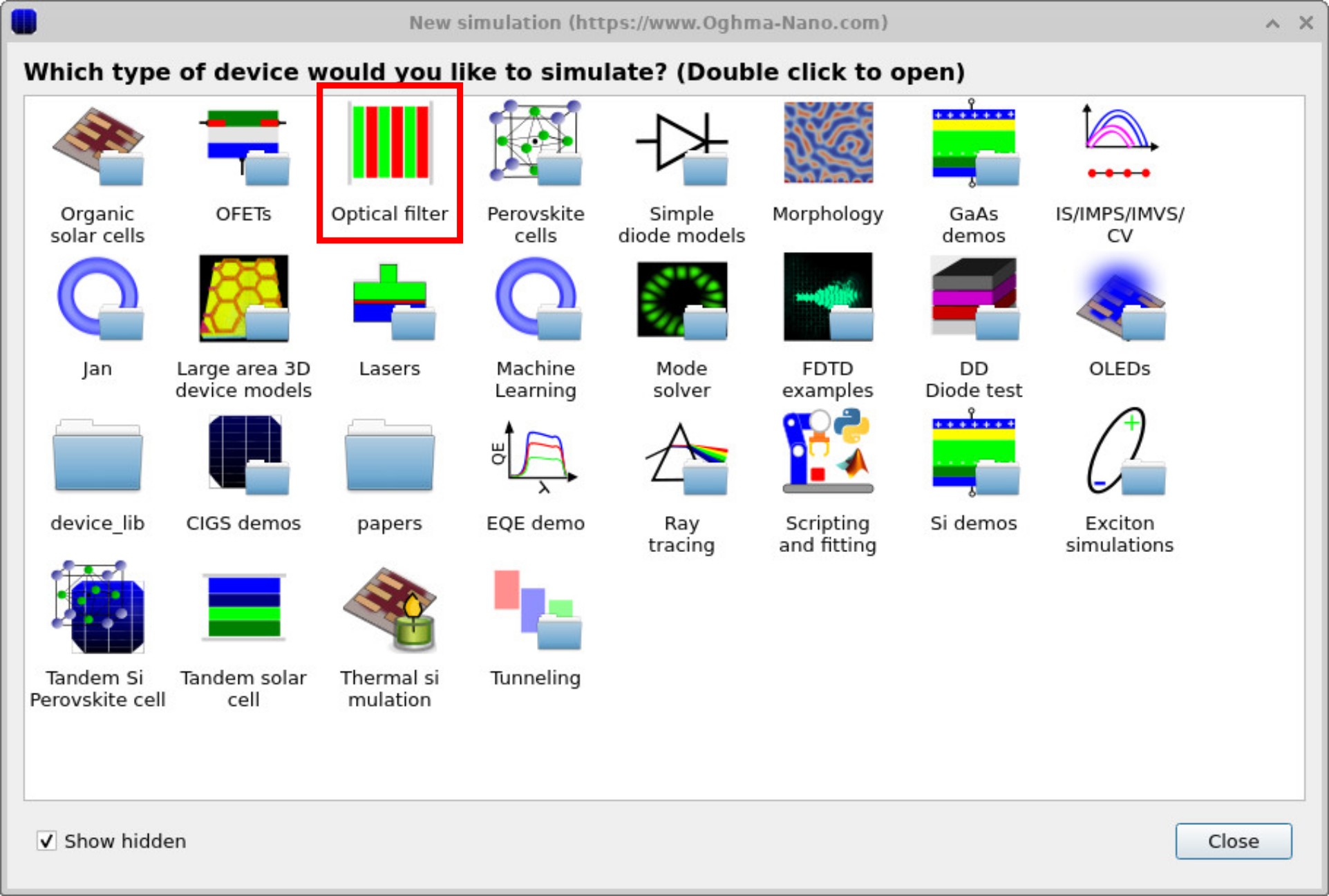
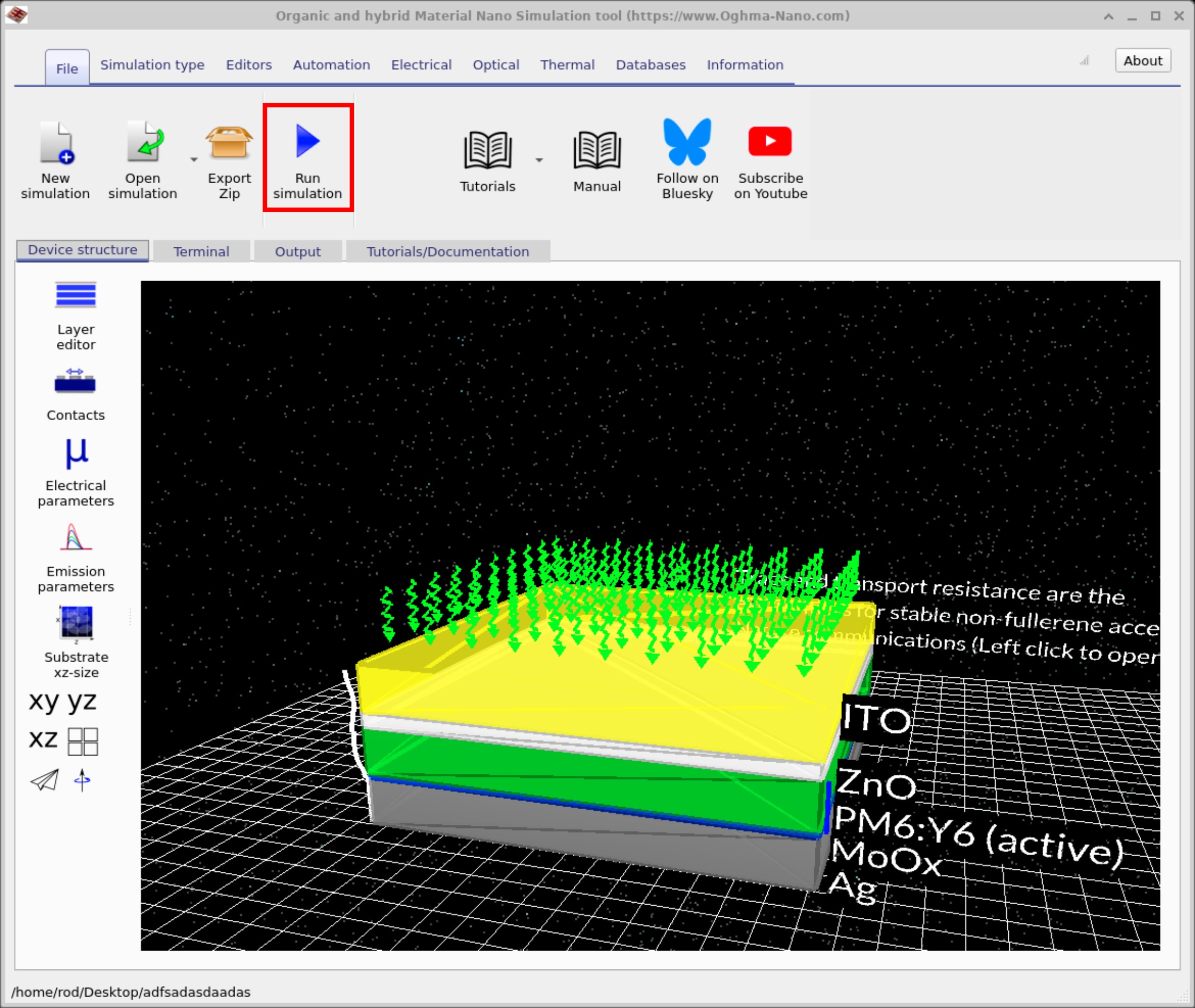
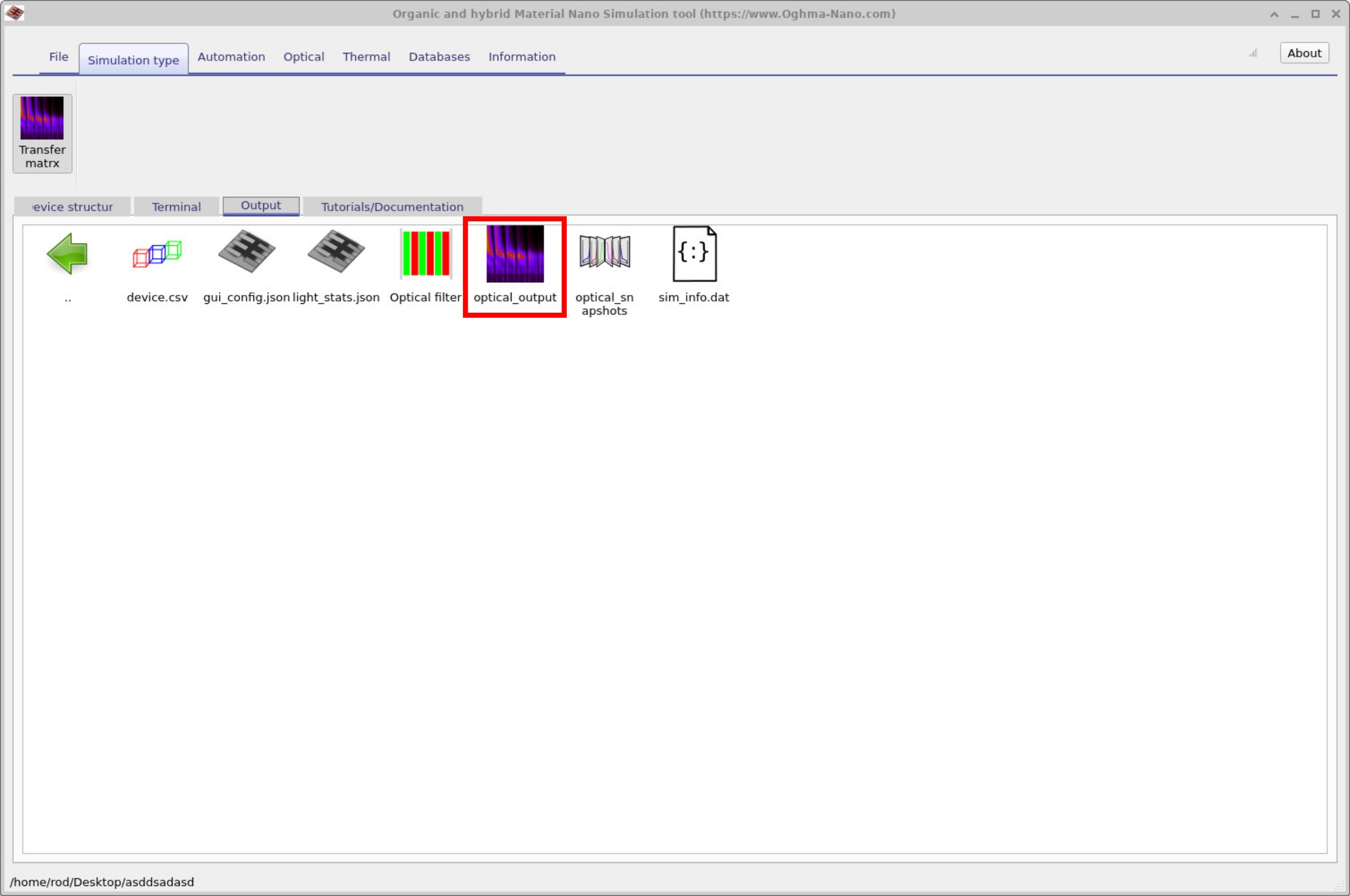
To start your first optical filter calculation, open the New simulation window from the File ribbon in the main menu. Double-click the Optical filter example (see ??) and save the simulation to a folder on your disk. You will then see the main window (see ??) with a multilayer stack of around ten alternating layers. Click the Run simulation (play) button to compute the spectra; once finished, the results appear in the Output tab (see ??).
3. Examining the Output
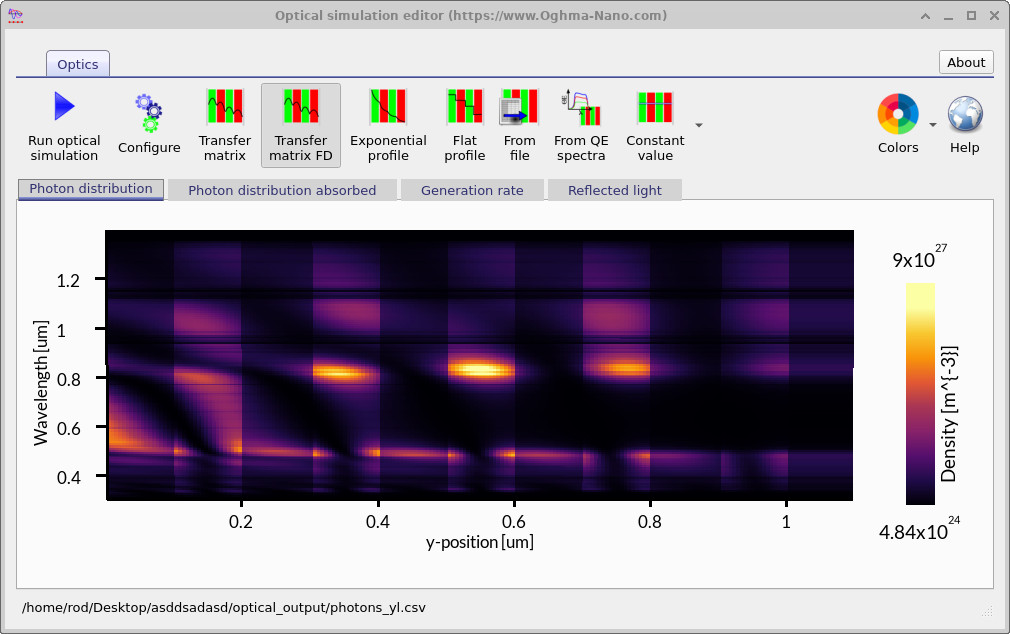
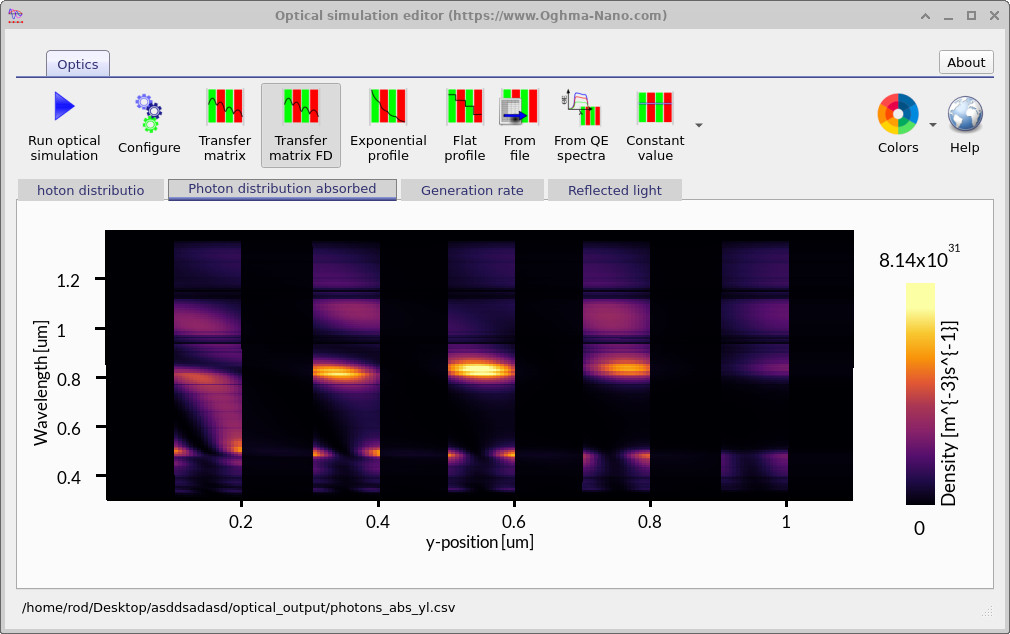
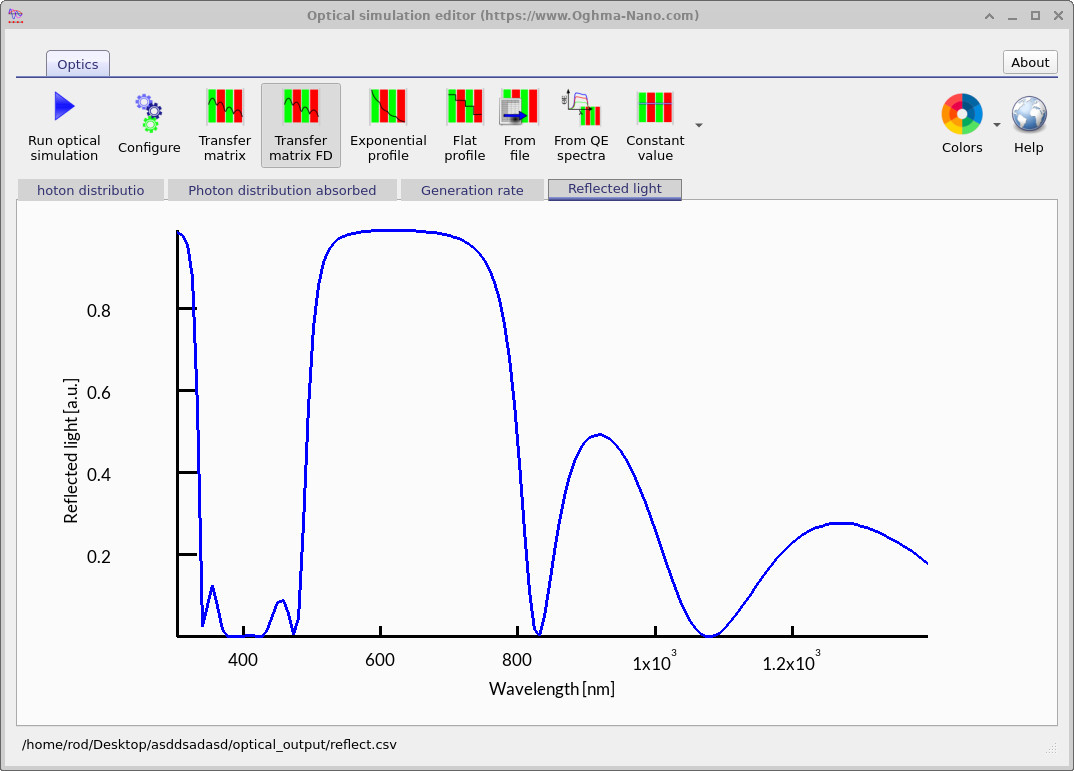
After running the simulation, double-click on Optical Output from ??. This will open the Optical Simulation Editor. The editor contains several tabs. The first tab, Photon distribution, is shown automatically (see ??). Here the photon density within the cavity is displayed, and the layered structure of the filter is clearly visible as vertical stripes. The second tab, Photon distribution absorbed (see ??), shows where photons are absorbed. In this example, absorption is weak but nonzero, because one of the materials has been set with a small absorption coefficient \(\alpha\). Finally, the Reflected light tab (see ??) displays the reflectance spectrum. The result demonstrates strong reflection between about 500 nm and 800 nm, while light outside this band is transmitted to varying degrees, characteristic of a Bragg-type filter.
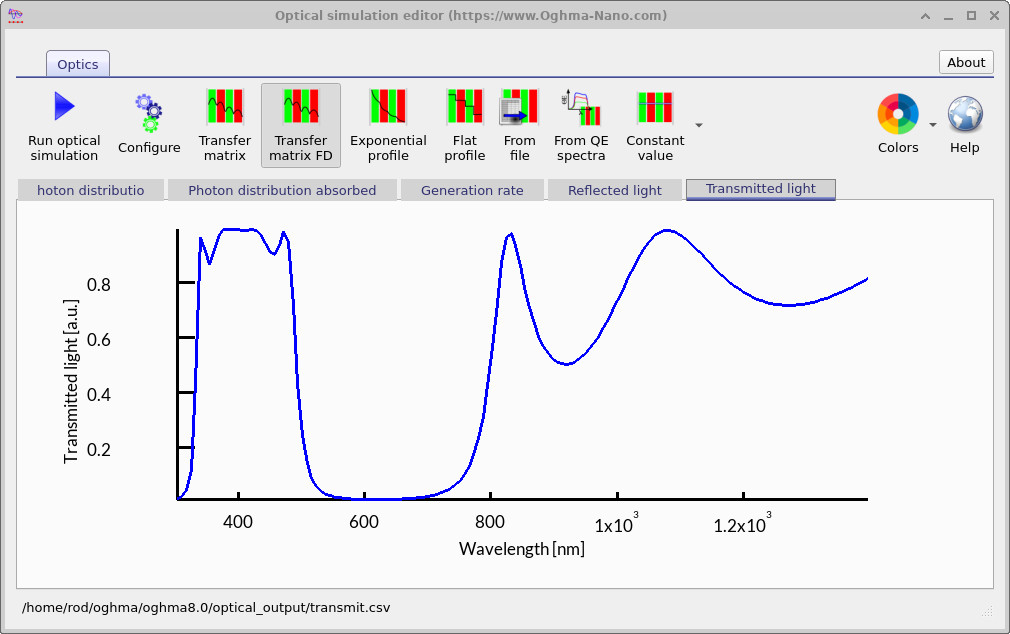
The Transmitted light spectrum confirms the band-stop behaviour of the filter. Light between about 300 nm and 500 nm is transmitted effectively, while wavelengths in the 500–800 nm range are strongly blocked. At longer wavelengths above 800 nm, some transmission reappears, showing the multi-band nature of the filter response.
4. Editing the filter
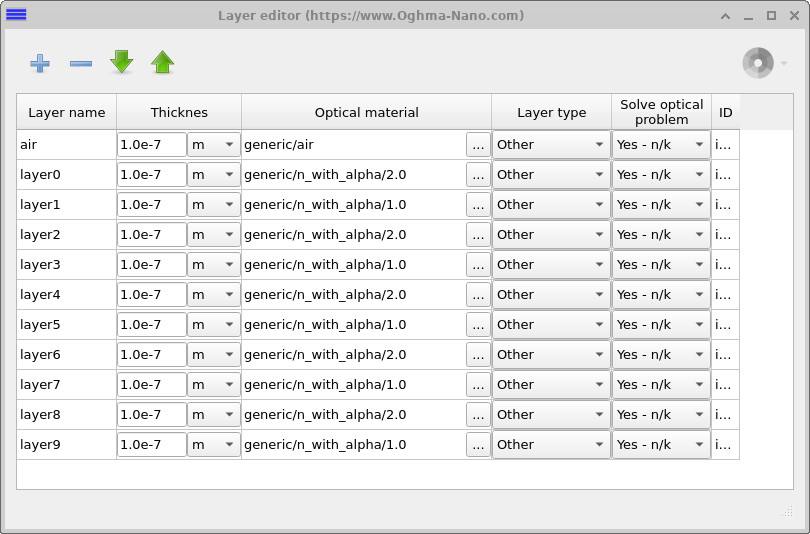
To inspect or modify the stack, open the Device structure tab in the main window and click Layer editor (see ??). The editor lists each layer in the device with its thickness, optical material, and settings. You can edit layer thicknesses directly in the table, change materials, add or remove layers, and reorder them as needed for your filter design.
5. Scanning Optical Filter Thickness
Next, we will look at automatically scanning the filter widths. This allows you to design filters, scan them automatically, and study how the structure of the filter affects both transmission and reflection. By running systematic scans, you can quickly generate an overview of many different filter designs and choose the one that best fits your application.
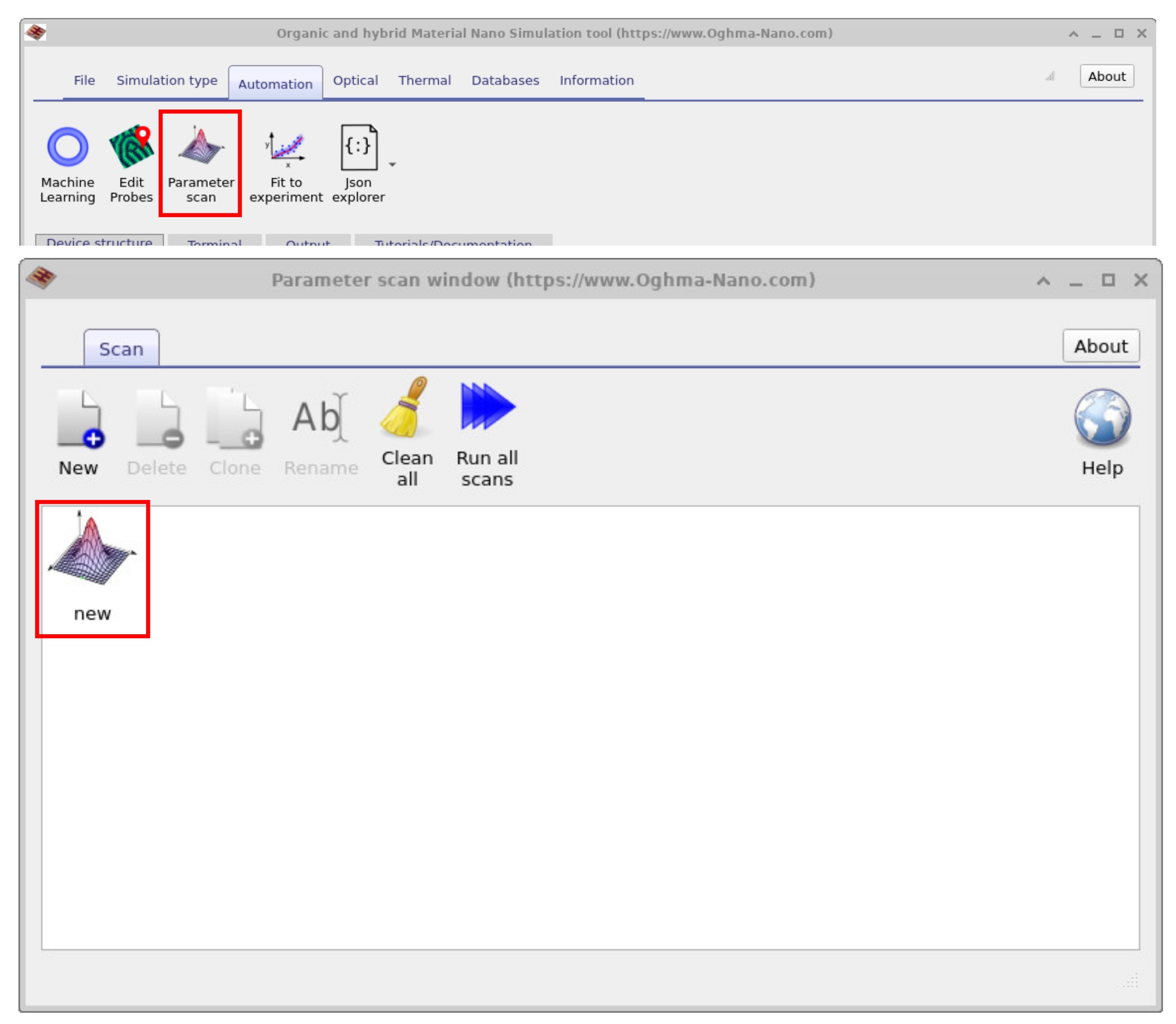
Navigate to the Automation ribbon in the main window and click on Parameter Scan (see ??). The Parameter scan window will open, and there should already be a new scan entry called new. Double-click on this entry, and the scan setup window will appear (see ??). Finally, click Run scan to start the calculation. The scan may take a short time to complete depending on the number of parameter values you selected.
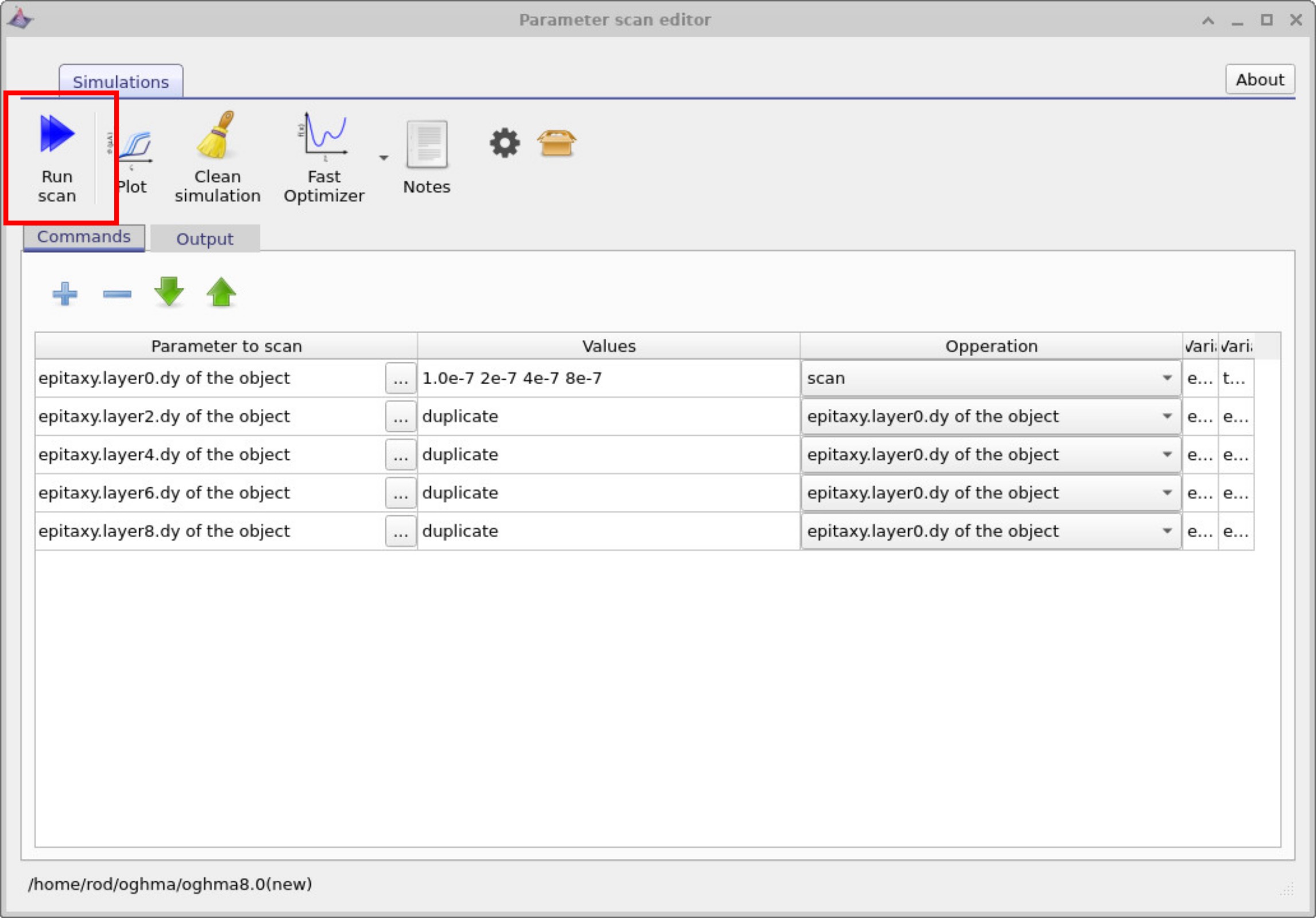
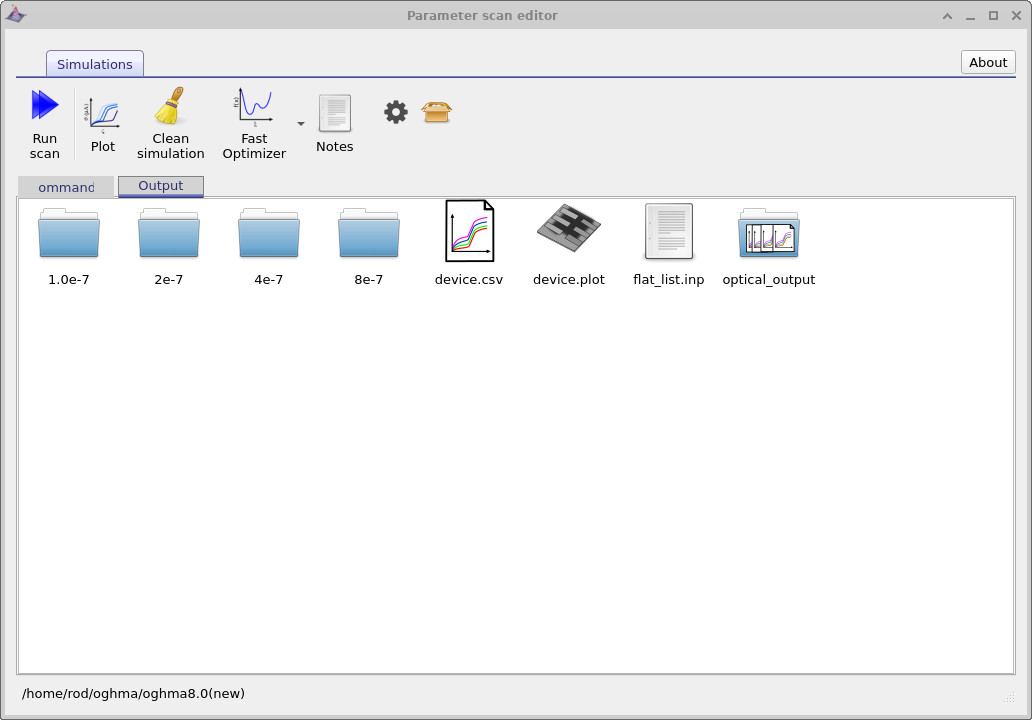
By clicking Run scan, you executed the small program shown in ??. We will explain this program later, but in essence it varies the thickness of the highest–refractive-index layer over a set of values. Open the Output tab in the Parameter Scan window (see ??): you will see four directories—each corresponds to one of the scanned thicknesses. Every directory contains a full simulation with the usual files, differing only in that layer’s thickness.
In the root of the scan folder you’ll also find special “multi-curve” icons (CSV files with a multi-line symbol).
These aggregate the corresponding curves from all sub-simulations.
Double-click optical_output to open it (see
??);
you’ll see reflect.csv and transmit.csv.
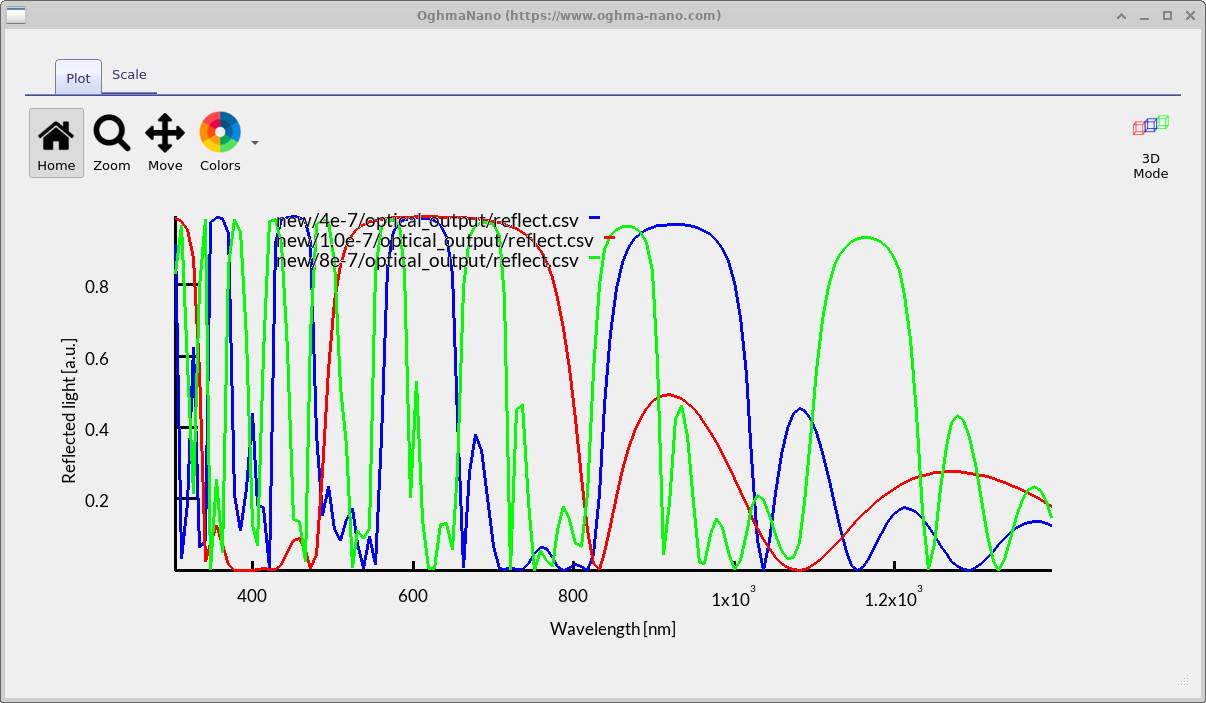
Opening reflect.csv plots the reflectance from all scanned thicknesses on one graph, as shown in
??.
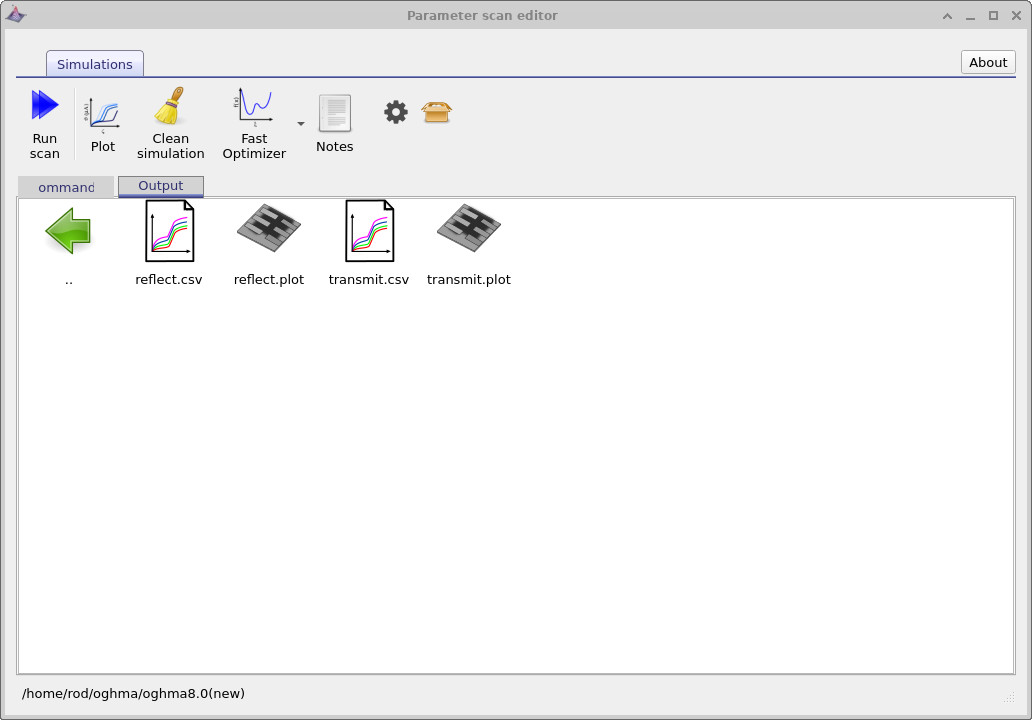
reflect.csv and transmit.csv.
6. Understanding the parameter scan window program
If you look again at
??,
you will see five rows listed. Each row specifies a
parameter to scan. In this example, the parameter is the thickness
(dy) of specific layers in the epitaxy stack. The entries are
epitaxy.layer0.dy, epitaxy.layer2.dy,
epitaxy.layer4.dy, epitaxy.layer6.dy,
and epitaxy.layer8.dy. These rows correspond to the
high refractive index layers in the device structure.
On the first line you can see a list of thickness values:
1.0e-7, 2e-7, 4e-7, 8e-7.
These are the values that the scan will assign to layer0.
The operation for this row is set to scan, which means the program will
systematically vary the thickness of layer0 across these specified values.
For the other layers (layer2, layer4,
layer6, and layer8), the operation is linked to
epitaxy.layer0.dy. In the values column this appears as
duplicate. This instructs the program to copy whatever value is currently set for
layer0 and apply it to the other high-index layers.
In effect, whenever layer0 changes, the other high-index layers automatically
update to the same thickness.
In summary, this program scans through a set of thickness values for one high-index layer and then duplicates that thickness across all the other high-index layers in the stack. The solver is run for each case, enabling you to explore how the filter performance varies as a function of layer thickness.
7. Summary
In this part of the tutorial you have learned how to automate optical filter design using parameter scans. You varied layer thicknesses systematically, duplicated parameters across multiple layers, and explored how these changes affect transmission and reflection. With these tools, you can now rapidly evaluate many possible filter designs and identify the structures that best suit your application.